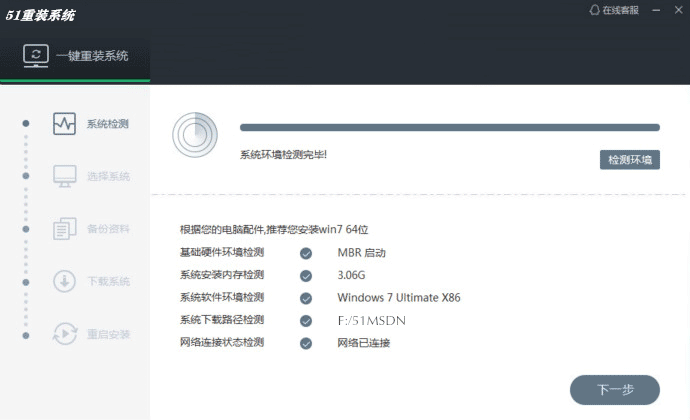
51重装系统
  • 全自动一键在线装机
    支持原版安装 系统想换就换

温馨提示:请尽量关闭杀毒软件运行,有利于您的系统重装成功。

5大优势,拥有一键装机,系统想换就换!

一键鼠标直接操作,智能检测分析、多元化系统版本选择、全新下载技术、永久免费。

1.一键操作

操作简单,无需任何技术即可完成整个系统重装,只需鼠标单击
“下一步”即可完成系统重装。

2.系统纯净

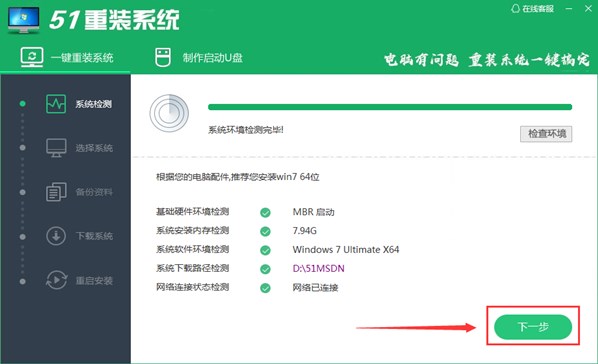
智能检测当前电脑配置信息,自动分析适合电脑配置的最佳重装系统
版本,不强制安装,保证系统可运行。

3.人性化设计

支持系统备份还原。并在重装过程中提供电脑联系人与文件资料的备份
操作,确保重要资料的完整、不丢失。

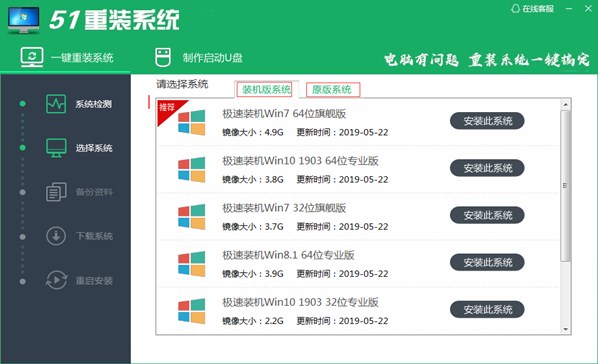
4.多元化系统版本选择

内置XP、Win7(32位/64位)、Win10(32位/64位)供用户选择安装,
提高了重装系统的可选择性和灵活性。

5.智能化一键检测机制

新加入智能化/硬件检测机制,可谓是一款全智能安装系统的管家。

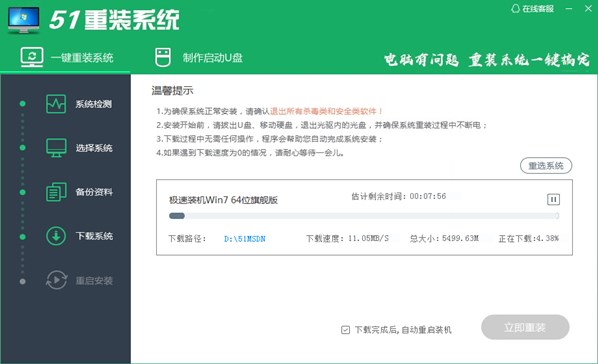
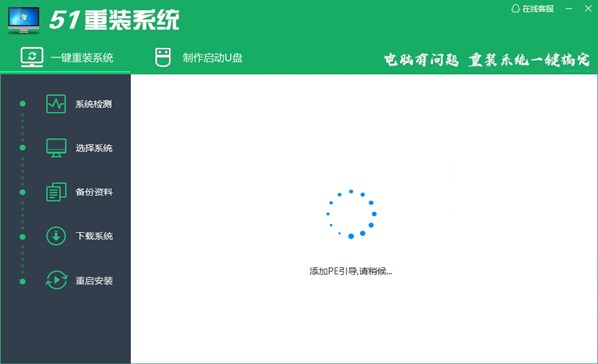
四步完成系统重装

简单免费重装,让人人都会自己动手装系统
1.4032
基本信息
SQL
$_GET
$_POST
$_COOKIE
包含文件
自动加载
  1. 模型: C:/wwwroot/2.w3766.com/twcms/model/
  2. 视图: C:/wwwroot/2.w3766.com/twcms/view/default/index.htm
  3. 控制器: C:/wwwroot/2.w3766.com/twcms/control/index_control.class.php
  4. 日志目录: C:/wwwroot/2.w3766.com/twcms/runtime/logs/
  5. 当前页面: C:/wwwroot/2.w3766.com/index.php
  6. 当前时间: 2026-04-01 17:47:55
  7. 当前网协: 10.9.82.243
  8. 请求路径: /
  9. 运行时间: 1.4032
  10. 内存开销: 485.19 KB
  1. #0 [time:0.0001s] SET character_set_connection=utf8, character_set_results=utf8, character_set_client=binary, sql_mode=''
  2. #1 [time:0.0001s] SELECT * FROM wqz20021223runtime WHERE k='cfg' LIMIT 1 [explain type: const | rows: 1]
  3. #2 [time:0.0002s] SELECT * FROM wqz20021223runtime WHERE k='cate_2' LIMIT 1 [explain type: const | rows: 1]
  4. #3 [time:0.0001s] SELECT * FROM wqz20021223runtime WHERE k='cate_4' LIMIT 1 [explain type: const | rows: 1]
  1. #control => index
  2. #action => index
    1. #acw_tc => 7928cd1717750368739695829e5b18fae757fa31a39cdbf9c5303f3b9067eb
    1. #0 C:\wwwroot\2.w3766.com\index.php
    2. #1 C:\wwwroot\2.w3766.com\twcms\kongphp\kongphp.php
    3. #2 C:\wwwroot\2.w3766.com\twcms\config\config.inc.php
    4. #3 C:\wwwroot\2.w3766.com\twcms\kongphp\base\base.func.php
    5. #4 C:\wwwroot\2.w3766.com\twcms\kongphp\base\core.class.php
    6. #5 C:\wwwroot\2.w3766.com\twcms\kongphp\base\debug.class.php
    7. #6 C:\wwwroot\2.w3766.com\twcms\kongphp\base\log.class.php
    8. #7 C:\wwwroot\2.w3766.com\twcms\kongphp\base\model.class.php
    9. #8 C:\wwwroot\2.w3766.com\twcms\kongphp\base\view.class.php
    10. #9 C:\wwwroot\2.w3766.com\twcms\kongphp\base\control.class.php
    11. #10 C:\wwwroot\2.w3766.com\twcms\kongphp\db\db.interface.php
    12. #11 C:\wwwroot\2.w3766.com\twcms\kongphp\db\db_mysql.class.php
    13. #12 C:\wwwroot\2.w3766.com\twcms\kongphp\cache\cache.interface.php
    14. #13 C:\wwwroot\2.w3766.com\twcms\kongphp\cache\cache_memcache.class.php
    15. #14 C:\wwwroot\2.w3766.com\twcms\config\plugin.inc.php
    16. #15 C:\wwwroot\2.w3766.com\twcms\plugin\editor_um\conf.php
    17. #16 C:\wwwroot\2.w3766.com\twcms\plugin\import_data\conf.php
    18. #17 C:\wwwroot\2.w3766.com\twcms\plugin\tw_links\conf.php
    19. #18 C:\wwwroot\2.w3766.com\twcms\runtime\twcms_control\index_control.class.php
    20. #19 C:\wwwroot\2.w3766.com\twcms\runtime\twcms_model\runtime_model.class.php
    21. #20 C:\wwwroot\2.w3766.com\twcms\runtime\twcms_view\default,index.htm.php
    22. #21 C:\wwwroot\2.w3766.com\twcms\runtime\twcms_model\category_model.class.php
    23. #22 C:\wwwroot\2.w3766.com\twcms\kongphp\tpl\sys_trace.php